Free
Explore the complete first chapter and up to three eligible practice sessions each local day. Easy and Medium pitch, note and Rhythm Starter practice are included, along with your progress overview.


A little listening goes a long way. Discover guided lessons, daily practice and the joy of hearing something new.
Train Your Ears · 136 lessons in 10 chapters · Out now on Android
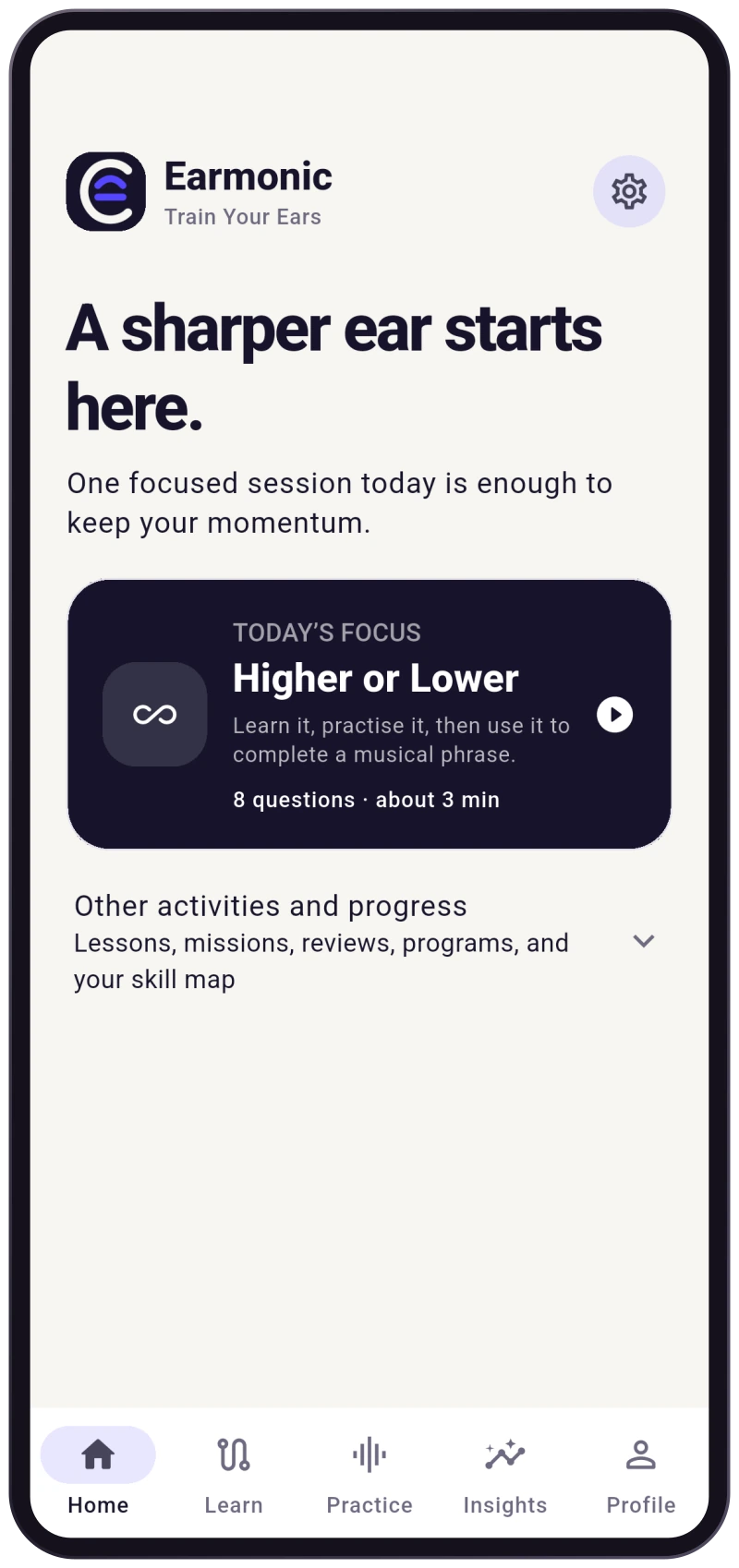
Ear training starts with paying attention. Earmonic gives each question a clear purpose, lets you listen again and follows your answer with feedback before you move on.
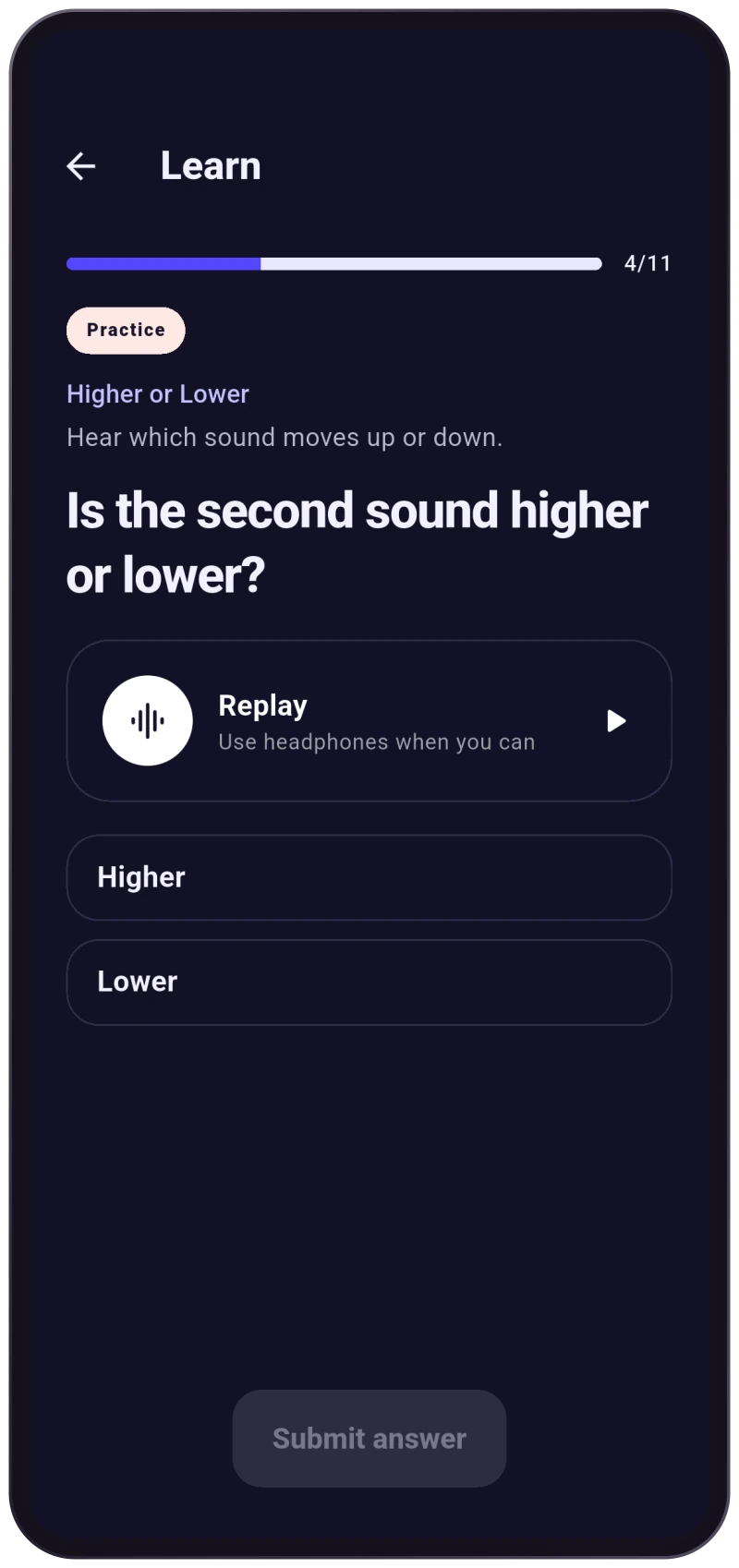
Hear a short example. Guided lessons introduce the idea before asking you to recognise it yourself. Replay the sound when you need another listen.
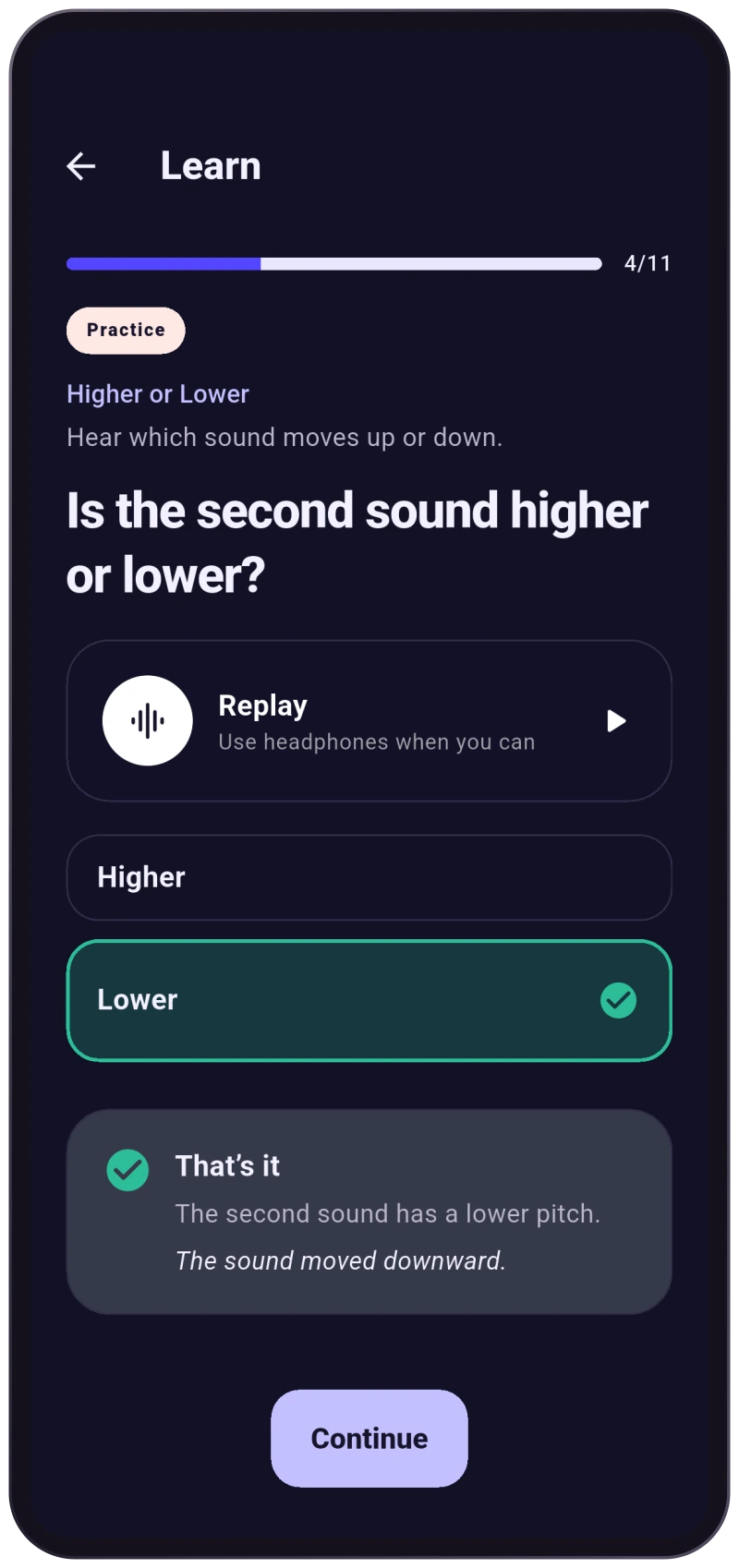
Compare pitches, identify a chord colour, name a note or work out a rhythm. Select your answer, then submit it when you are ready.
See how you did, review the feedback and continue. Question retries let you revisit a mistake while keeping the first attempt in your score.
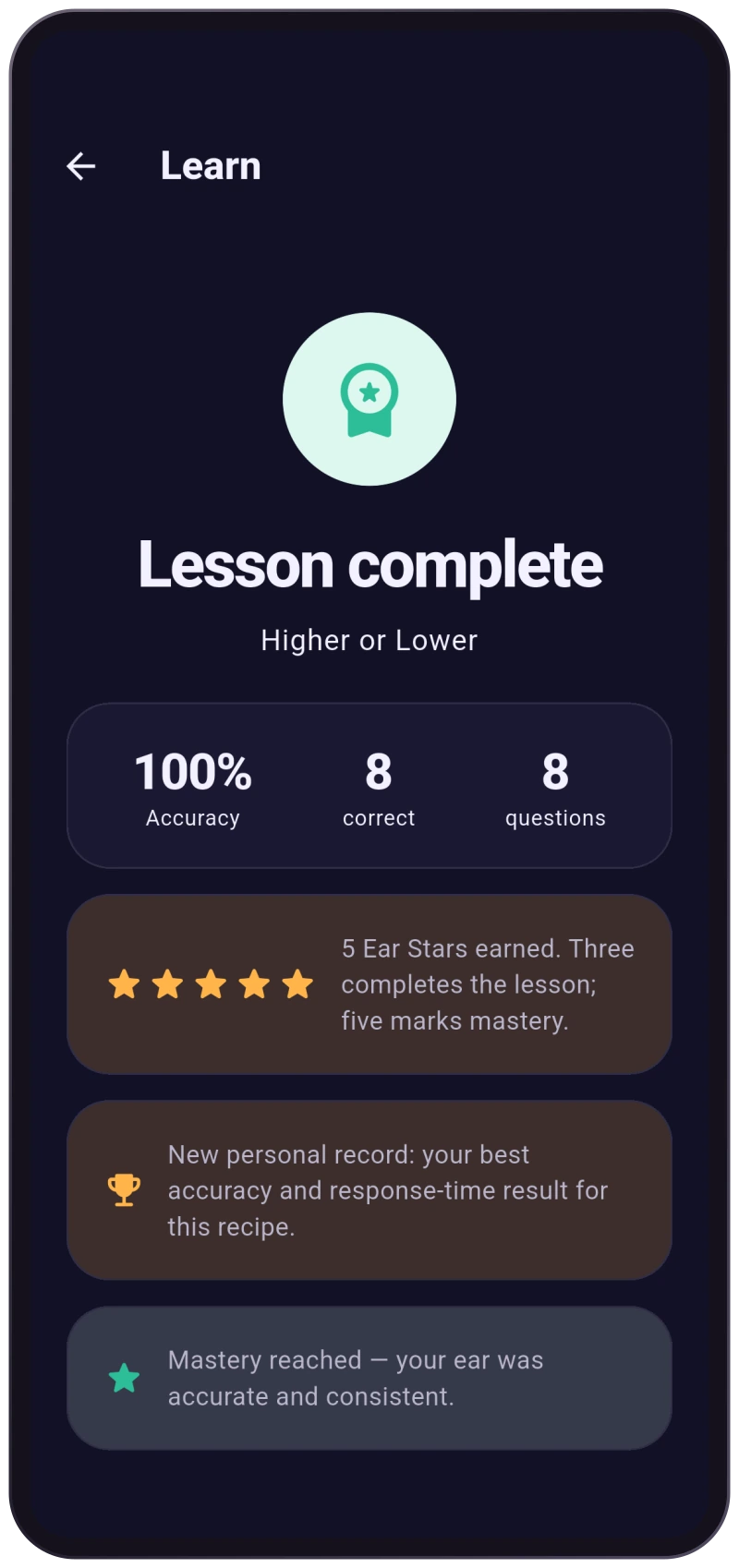
Completed sessions feed your progress. Return to the lesson path, revisit a skill or follow your next daily plan.
 View full screen
  View full screen
  View full screen
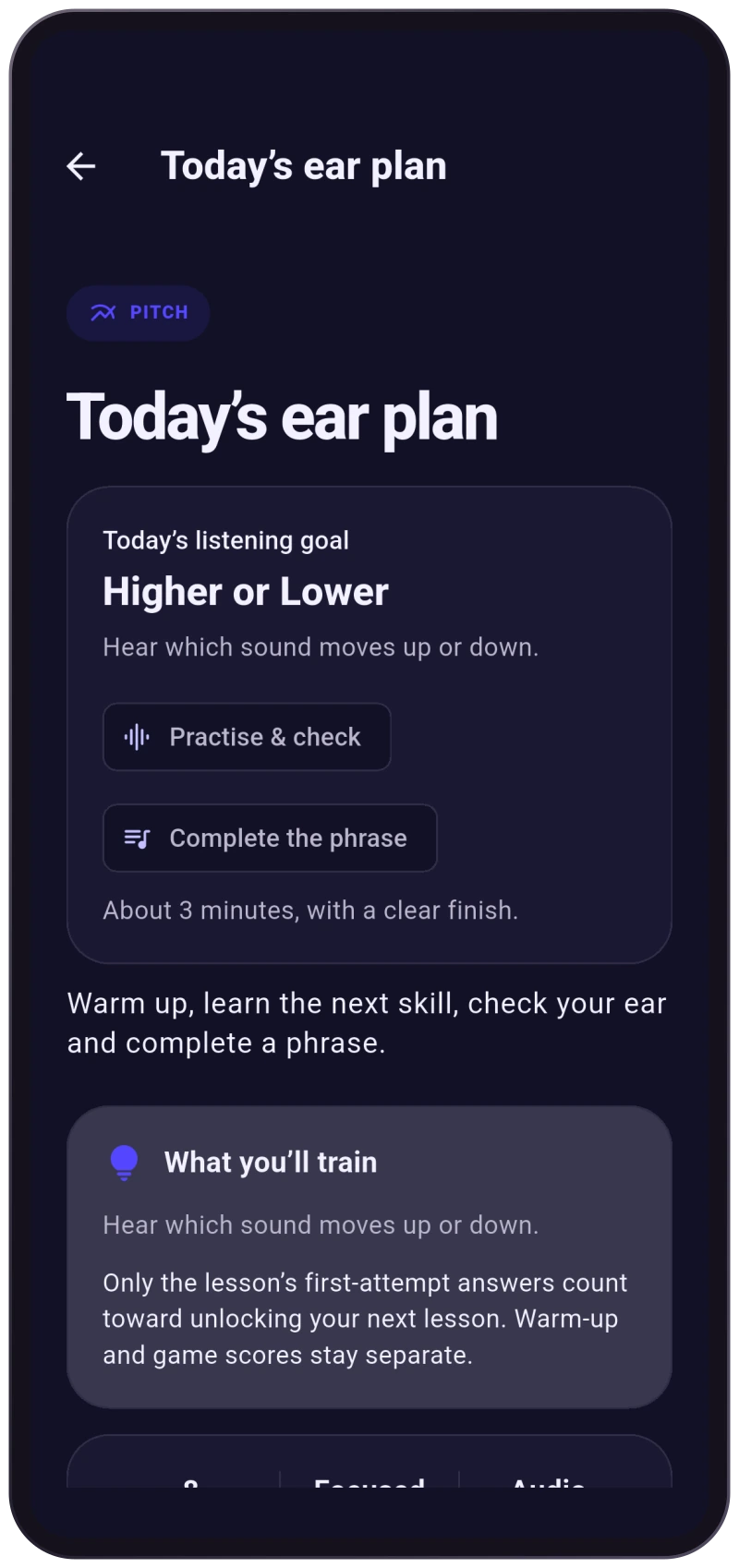
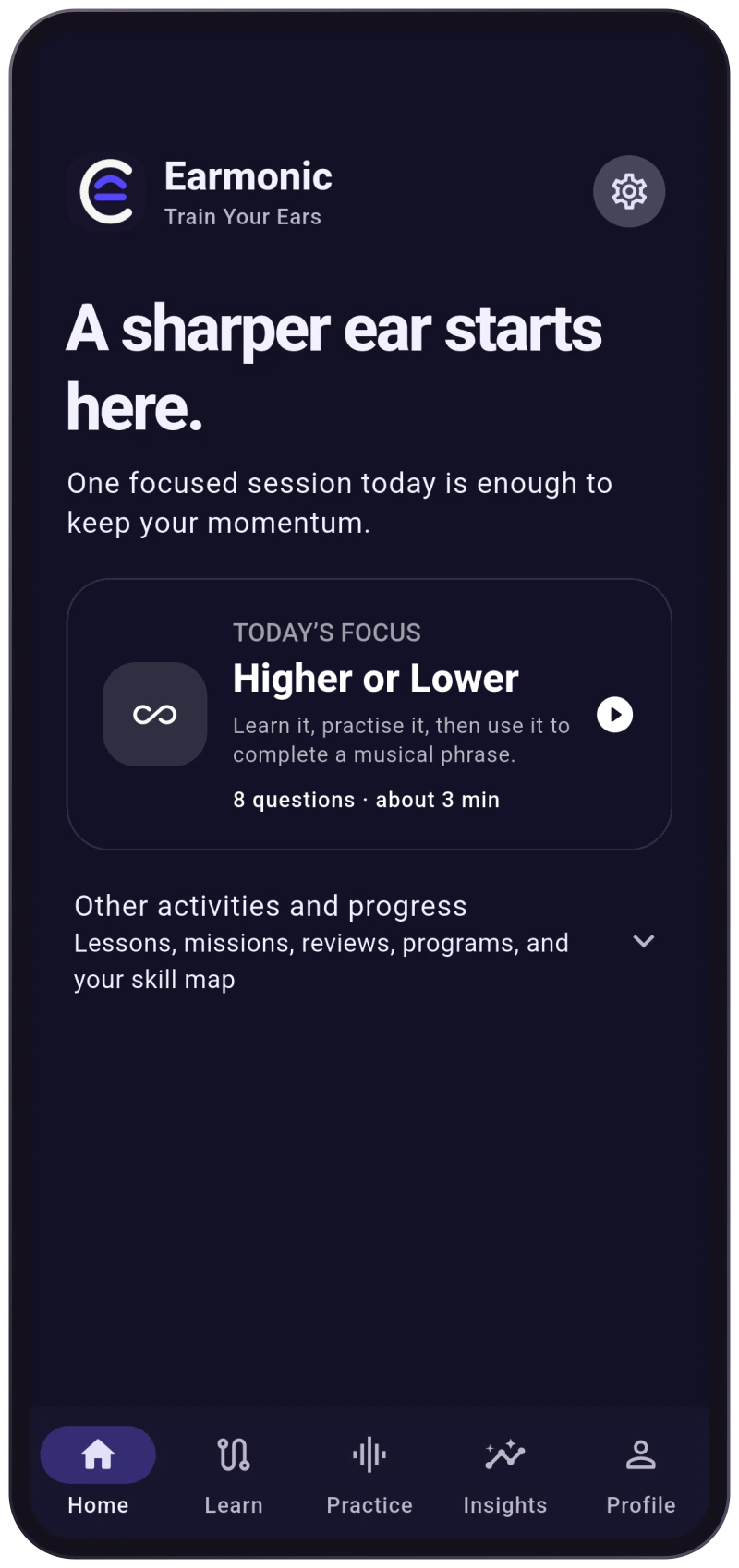
 You do not have to design a practice routine before you can begin. Your daily ear plan can bring warm-up, learning, focused practice and a musical play stage into one session, with the stages adapting to your current progress. The plan shows its focus and an estimated duration before you start.
As you build a listening history, Earmonic can draw on completed lessons and areas that need attention to guide further practice. Your home screen keeps the next action close at hand.
 View full screen
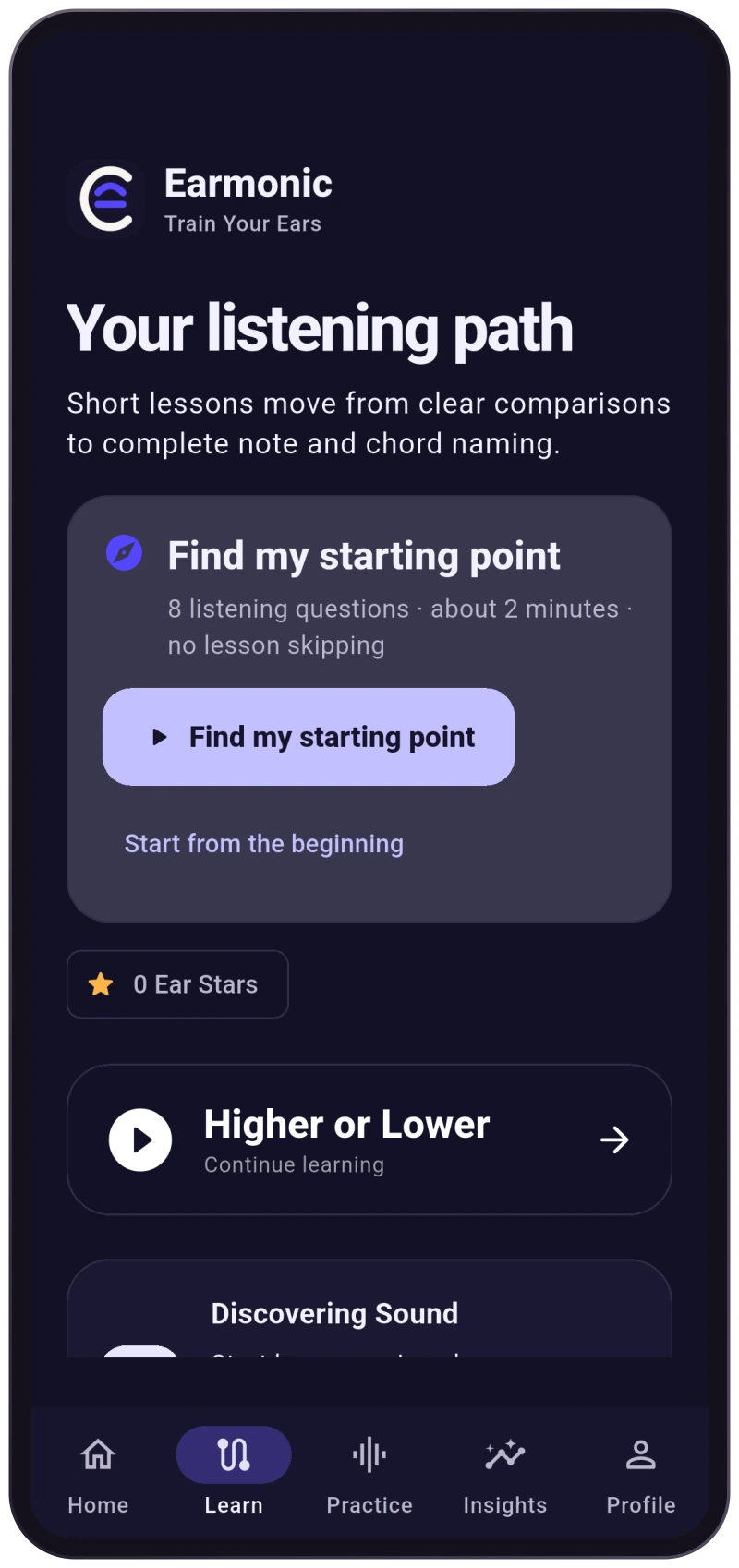
 Begin by comparing higher and lower sounds, following a beat and hearing the contrast between chord colours. The learning path develops those foundations into note recognition, tempo, chromatic notes, harmony and rhythm through 136 lessons in 10 chapters.
Guided examples, question practice and lesson stars give each step a clear shape. An optional listening level check helps you choose a starting target without marking unplayed lessons as complete.
 View full screen
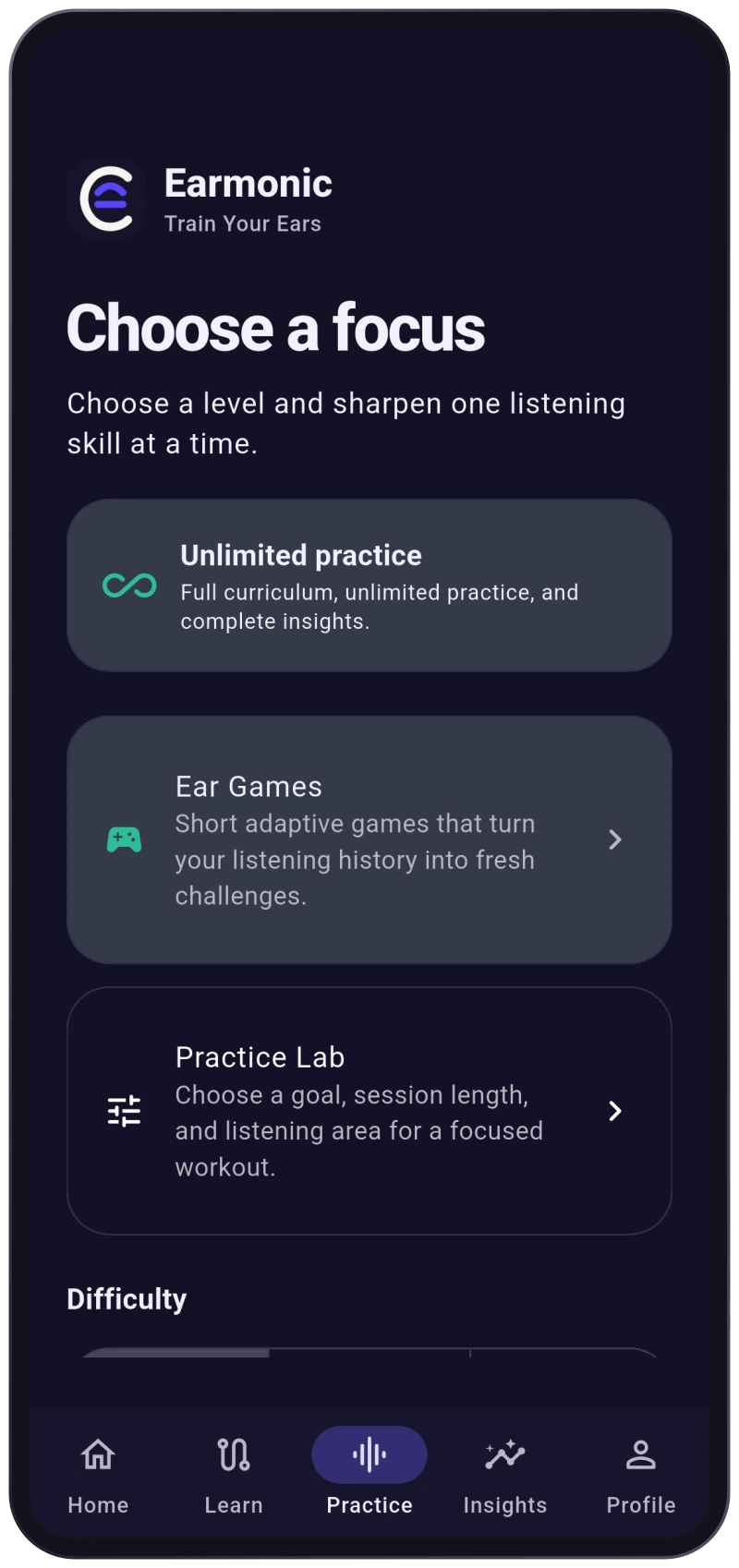
 Choose a training area instead of repeating the same routine. Earmonic offers 11 practice modes, with Easy, Medium and Pro Challenge difficulty options. Save favourite routines, revisit recent sessions and choose a focus such as mistakes, due review, new content or a balanced mix.
 View full screen
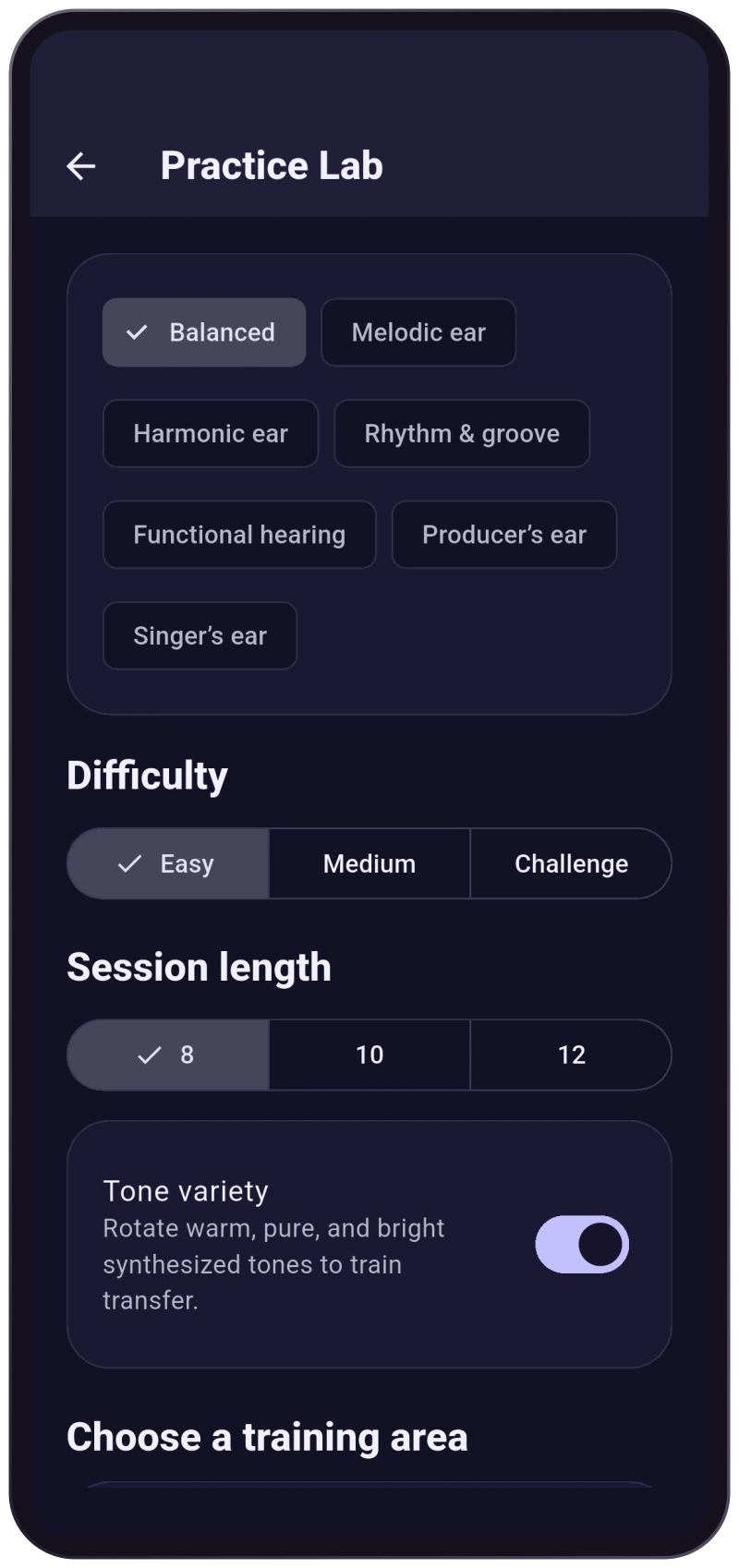
 Set a musician goal, choose your difficulty and select an 8-, 10- or 12-question session. Practice Lab brings these choices together so you can shape a routine around what you want to work on.
Optional tone variety changes the synthesised sound context. Custom recipes let you assemble a repeatable practice routine and return to it later.
 View full screen
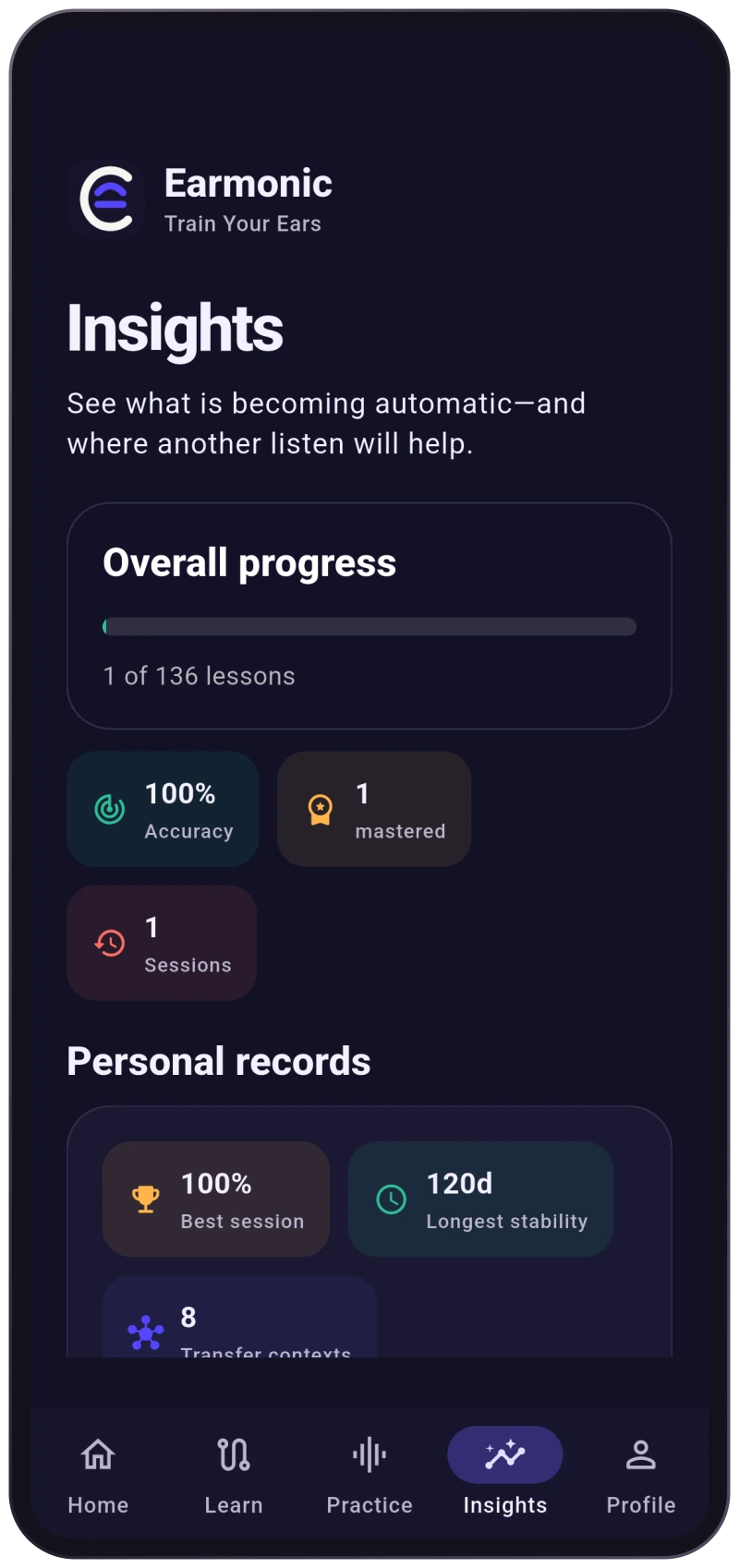
 Lesson stars, completed sessions and accuracy summaries make your work visible. Insights connects your listening history to areas you can practise next, while skill reviews and Ear Checks offer ways to revisit what you have learned over time.
Progress begins with your first session. There is no need to invent a perfect streak or fill every chart on day one.
 View full screen
 Core listening practice works without a microphone or a Google sign-in. Progress is stored locally, with optional Google Drive backup when configured. Use light or dark mode, adjust playback pace and enable reduced motion to make practice more comfortable.
Headphones can help you hear subtle differences, but they are not required.
 View full screen View full screen
 Explore the complete first chapter and up to three eligible practice sessions each local day. Easy and Medium pitch, note and Rhythm Starter practice are included, along with your progress overview.
Unlock all 10 chapters and 136 lessons, unlimited practice, additional training modes, Challenge difficulty and detailed insights.
Available purchase options, current prices and terms are shown in the app before you confirm a purchase.

You can start with simple listening comparisons such as higher or lower and same or different. The guided path builds from those foundations.
Pitch, notes, intervals, chords, harmony, scales, modes, melody, tempo and rhythm. Available practice options depend on your access level.
Practice Lab offers 8-, 10- and 12-question sessions. Daily plans show an estimated duration. The time you spend depends on the exercises and how often you replay them.
Core listening exercises use sounds generated by the app, so you do not need an instrument or microphone. Headphones are optional and can help with subtle differences.
Yes. Core practice and local progress do not require Google sign-in. Google Drive backup is optional and requires a configured connection.
Pro opens the full lesson path, unlimited practice, additional modes, Challenge difficulty and detailed insights. The app shows current purchase options and terms.
Earmonic is available on Android through Google Play. Download the app and start with the free first chapter.
Start with one sound, one question and one small step forward.